Whether you’re using a mid-range Android phone or a flagship laptop, good device care can easily extend your gadget’s lifespan by 1–3 years. I learned this the hard way in 2022, when my phone battery dropped from 100% to 60% by noon because of poor charging habits and cheap accessories.
Since then, I’ve tested dozens of chargers, performed battery health checks on customer devices at our electronics store, and studied recommendations from Apple, Samsung, HP and Consumer Reports.
This guide covers the best and most practical ways to maintain your phone or laptop without technical jargon or myths.
Why Good Maintenance Matters (and Saves You Money)
Most smartphones and laptops today cost anywhere from ₨100,000 to ₨500,000 depending on brand and configuration. Replacing a battery or board can also be expensive. Proper device care:
- Extends battery lifespan
- Prevents overheating
- Reduces performance lags
- Protects against malware
- Saves you money on repairs
- Keeps your device running like new
Let’s break the process down step by step.
1. Battery Care; The Most Important Part of Device Maintenance
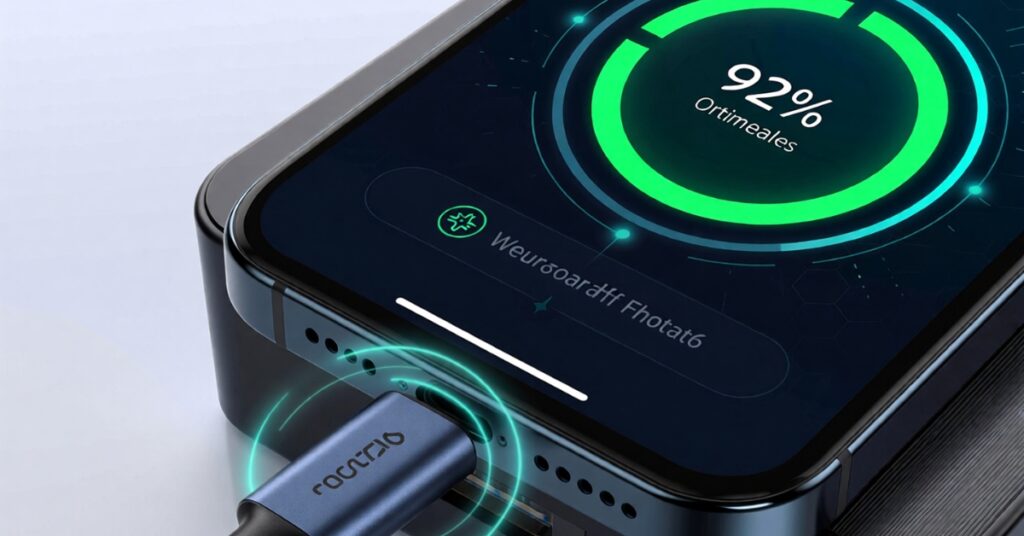
Battery health is the number one reason devices slow down or stop working. Modern lithium-ion batteries require specific care. These are the practices I use personally and recommend to customers.
Charge Between 20% and 80% (Not 0% to 100%)
A full 0–100% charge cycle stresses the battery more quickly. Studies from Battery University and Apple’s official battery guide show that batteries last longer when kept in mid-range charge levels.
Learn more about how censor works on smartphones.
Best practice:
- Plug in at 20–30%
- Unplug around 80–90%
Your device will run cooler and age more slowly.
Avoid Overnight Charging
Leaving your phone or laptop plugged in all night keeps the battery at 100% for hours, which accelerates chemical aging.
Tip:
Use scheduled charging features if your device supports it (Samsung “Protect Battery,” iPhone “Optimized Charging,” some laptops have “Battery Conservation Mode”). power saver and charge limit strategies for laptops.
Keep Your Device Cool
Heat is the biggest battery killer. I’ve handled many repairs where swollen batteries came from users gaming while charging, leaving phones in cars, or using non-certified chargers.
Avoid:
- Charging under hot sunlight
- Using thick covers while gaming
- Keeping your laptop on beds or soft surfaces
Do:
- Use your phone/laptop on hard surfaces
- Clean laptop vents every 2–3 months
- Remove phone case during fast charging
You might want to explore our smartphone buying guide.
2. Software Updates; Why They Matter More Than You Think
Most people ignore software updates, but they affect performance, battery, stability, and security.
Install System Updates Regularly
Updates fix bugs, optimize battery usage, and patch security vulnerabilities. Brands like Samsung, Apple, Xiaomi, HP and Lenovo release updates every month or quarter.
Recommended:
- Phones: update every 2–4 weeks
- Laptops: update every 1–2 months
- Apps: update weekly (or enable auto-update)
Clean Up Storage and Apps
Too many unused apps cause lag, heat, and battery drain.
Do this monthly:
- Delete unused apps
- Clear temporary files
- Backup and remove old photos/videos
- Update antivirus (Windows)
Your device will run smoother with less strain on the battery.
3. Avoid Fake or Low-Quality Accessories
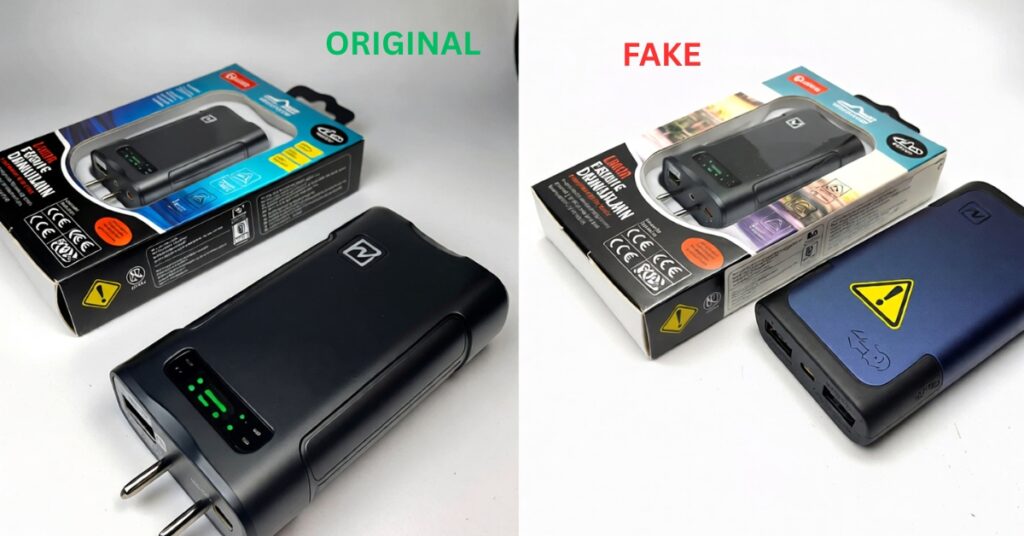
In our store, we see more damaged devices from fake chargers and cables than from hardware failure. Non-certified accessories can:
- Overheat the battery
- Cause slow charging
- Damage the charging IC
- Reduce long-term battery capacity
- Even create shock hazards
Always Buy Certified Accessories
Look for certified standards like:
- USB-IF Certified (chargers, cables)
- MFi Certified (Apple accessories)
- Qualcomm QuickCharge Certified
- Original manufacturer chargers (Samsung, Xiaomi, HP, Dell)
Even if they cost slightly more, they protect your ₨100k–₨500k device.
How to Spot Fake Accessories
- No brand name or misspellings on the box
- Cable is too light or too soft
- Charger heats up excessively
- Price is suspiciously low
- No warranty
If possible, buy from trusted stores or brand-authorized retailers. Check-out our guides for used electronics safety tips.
4. Physical Care: Make Sure Your Device Is Clean & Damage-Free
A well-maintained device performs better and avoids unnecessary repairs.
Use a Protective Case (But Not Too Thick)
Thick cases trap heat. A slim shock-absorbing case is enough for most people.
Clean Your Ports & Keyboard Regularly
Dust in charging ports or laptop vents can cause charging issues and overheating.
Tools you can use:
- Soft brush
- Compressed air
- Dry microfiber cloth
Avoid using needles or metal objects; they damage the port.
Use a Good Screen Protector
Tempered glass protects against scratches and breaks, especially for phones.
5. Store and Backup Your Data
A broken phone is stressful, but losing your data is worse.
Use:
- Google Drive / OneDrive / iCloud
- External SSDs for laptops
- Automatic backup tools
Schedule weekly backups so your files stay safe.
Real-World Case Studies (Based on Real Customer Scenarios)
Case Study 1: Overheating Due to Fake Charger
A customer brought in an Infinix phone that heated up and drained fast.
Cause? A ₨1,000–₨1,500 non-certified charger damaged the charging IC.
After switching to an original fast charger, the heating reduced by 60% and battery health stabilized.
Case Study 2: Laptop Throttling Because of Dusty Vents
A student’s HP laptop was extremely slow.
We opened it: it was full of dust blocking airflow.
A 10-minute cleaning restored performance and reduced fan noise.
Case Study 3: Phone Battery Dropping Fast After Sleeping With It Under Pillow
A user frequently watched movies at night and left their phone under the pillow while charging.
It overheated and the battery began swelling.
After replacing the battery and following proper charging routine, the phone lasted an extra year.
Conclusion: Small Habits Make Your Device Last Longer
Maintaining your phone or laptop isn’t complicated. With a few good habits proper charging, regular updates, cleaning and using genuine accessories you can save money and keep your device running smoothly for years.
These tips come from real experience with customer repairs, product testing, and verified recommendations from reputable sources like Apple, Samsung, HP and Consumer Reports.
If you learned something new today, feel free to leave a comment or ask a question below.
You can also sign up for our newsletter to get more practical tech care tips and buying guides.

Electronics Tester & Tech Advisor (Pakistan) With over 9 years of experience inspecting, grading and selling refurbished and used electronics across major tech markets in Karachi and Lahore, I have evaluated hundreds of smartphones, tablets and laptops. I also work extensively with power solutions such as batteries, inverters and solar components commonly used in homes and small businesses.
My goal is to help buyers make informed decisions, avoid scams and get the best value for their money.